VlogMe

Worked example

AI real estate video: a living room walkthrough from one still

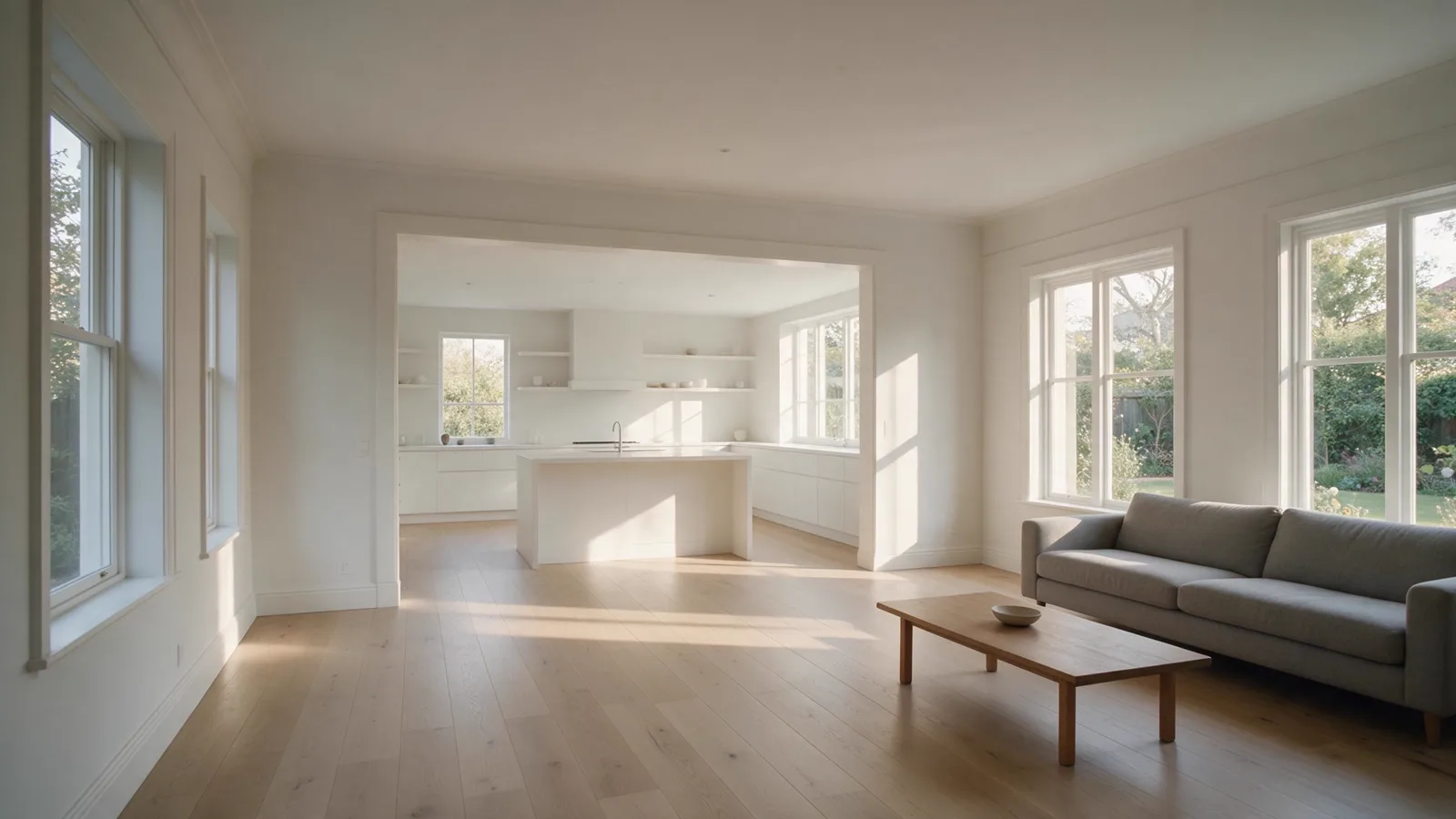
The camera glides across a bright living room toward the kitchen opening. The room does not exist: we generated a listing-style photo, then had Kling 3.0 Pro move through it for 10.04 seconds. The fourth still we made was the one that worked.

Model
Kling 3.0 ProKuaishou
Price today
182 credits
Output
10.04 s, 1280×720
Render time
585.5 seconds
Made
VlogMe staff, October 31, 2026

Part of: Image to video

01The exact prompt

Prompt and settings, as the job ran

The camera glides slowly forward across the living room toward the kitchen opening at steady eye height, smooth gimbal walkthrough, the furniture and walls stay still, soft afternoon light, quiet room sound only, no music, no voices.

Settings

Workflow
Image to video
Model
Kling 3.0 Pro
Requested length
10 s
Aspect ratio
Same as the input
Negative prompt
people, pets, text, logos, watermark, warped walls, music, speech

02What went in

Inputs, each made in VlogMe

Source still: a bright open-plan living room with a grey sofa and a low wooden coffee table, looking through a wide opening to a white kitchen

Image

Made with Seedream 5.0 Pro (ByteDance)

Its prompt

A bright, airy, staged open-plan living room in a modern family home, a wide view from inside the room with no doorway, no door frame and no door leaves in the foreground: pale oak floor with a clear walkway of open floor leading to a wide opening through to a white kitchen with an island, grey sofa to one side, low wooden coffee table holding only one small plain bowl, the kitchen counters, island, shelves and windowsills completely bare with nothing standing on them, tall windows with soft afternoon light and a leafy garden outside. Wide-angle listing photo, level camera, photoreal, no people, no pets, no books, no magazines, no framed art, no printed anything, no artwork with faces, no jars, no bottles, no tins, no boxes, no appliances on the counters, no text, no logos, no brand marks.


Who and what is in it

This is not a real home or a real listing. The room exists only in the still's prompt, written to look like a listing photo, and no people or pets are in frame.

03What it costs

The same job at today's prices

Today's tariff in credits, from VlogMe's billing code. Plans and credit packs are on the pricing page; to compare models, see the AI Video Price Index.

PartCredits
The video, 10 s with Kling 3.0 Pro168
Image, with Seedream 5.0 Pro14
Total182

04First-hand

What we noticed making it

  • It took four stills. The first had a book on the coffee table, and in the clip made from it the cover grew letter-like marks, which is why the table now holds one plain bowl. The second had a toaster, jars and bottles in the kitchen the camera walks toward. The third cleared the counters, but wide dark door leaves at both edges read like black bars. The fourth puts the viewpoint inside the room, and those went away.
  • The still's prompt asks for completely bare counters, shelves and sills, and it did not quite get them: plain bowls and cups on the open shelves, two small stones on a sill, clear glass on the counter. None has a label or a mark like a letter, so the still stayed.
  • The prompt asks for quiet room sound. What came back measured -57.3 LUFS with a -35.6 dB peak, next to silence, so the file on this page has no sound track at all. If you want room tone, plan to add it yourself.
  • The render is 10.04 seconds at 1920×1080; the file here is a 1280×720 copy. Stepping through it a second at a time, the walls hold and no person or lettering appears. The sofa and table leave the frame by 9 seconds, as they must on a forward move, so whatever you want seen belongs in the middle of the picture. Ten seconds is one move: the camera ends at the opening and never enters the kitchen.
  • From submit to result took 585.5 seconds, and the earlier clip took 577.2, so allow about ten minutes each. The 182 credits in the table cover this take only. Before it went another 210: the first still and its clip, and the two stills discarded after that.

05How to

Make one like it

  1. Clear the room first. Take anything with printing on it out of the still, because small objects are where the letter-like marks grew.
  2. Set Video Studio to Image to video and Kling 3.0 Pro, add the still and keep its own shape.
  3. Give the camera one move and one destination, then name what must stay put. Ours goes forward to the kitchen opening, with furniture and walls still.
  4. Wait out the render, then step through the result second by second, looking for new marks and bent walls.
  5. Add sound in your own editor if the clip needs it.

06Recreate this

Start from the same prompt and model

Your own room photo goes in the upload box, and the walkthrough prompt is waiting in the field under it. Change the destination to suit your floor plan before you run it.

Selling a real home? Compare the clip with the property before you use it: anything the camera reaches past the edge of the photo is the model's guess.

This length costs 168 credits today, quoted again before you confirm.