VlogMe

Worked example

Talking dog video: a beagle explains the missing sandwich

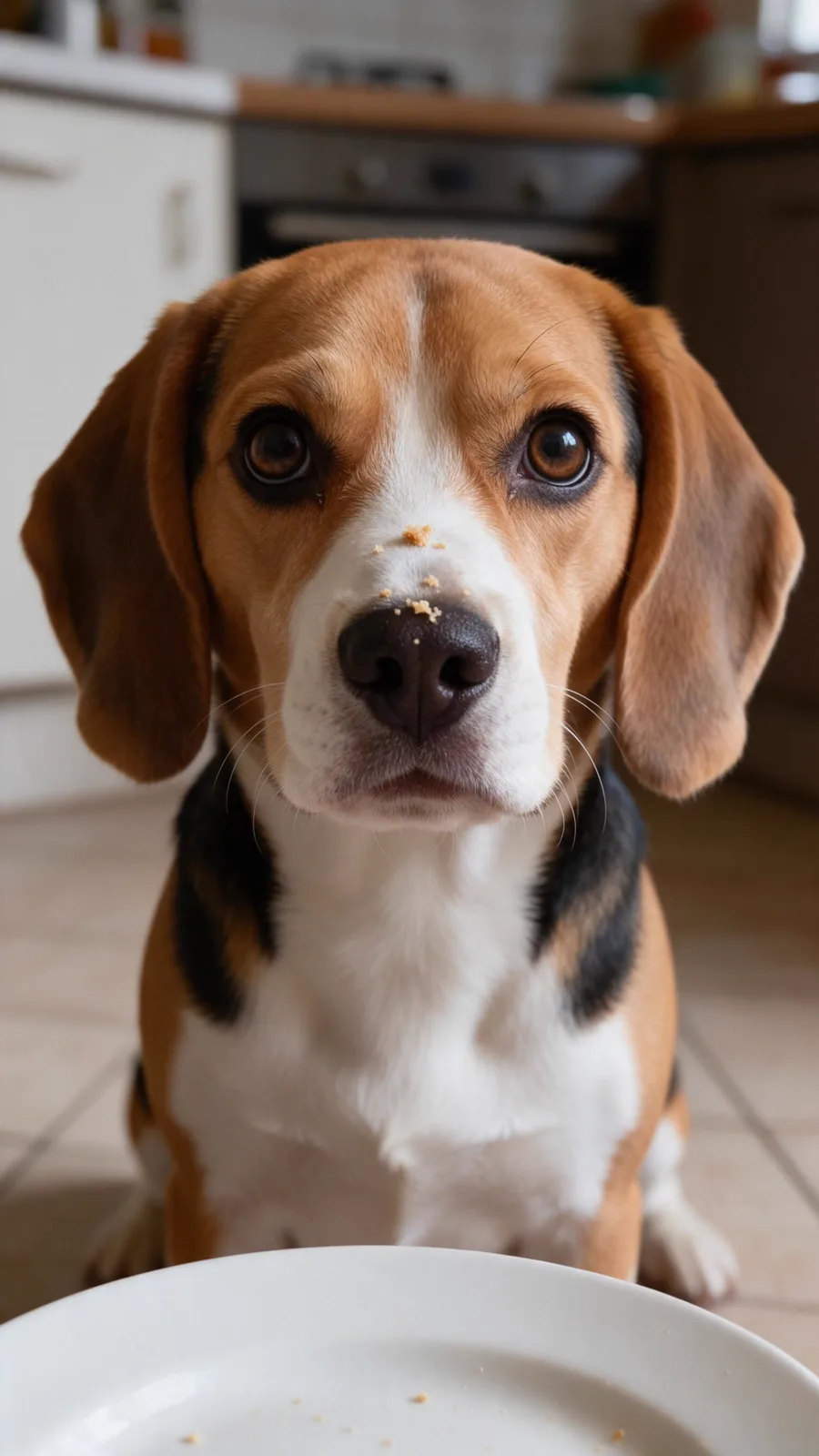
The sandwich is gone, there are crumbs on his nose, and he has an answer ready. This 7.28-second clip came out of Portrait Avatar on the second try, after we changed the still.

Price today
99 credits
Output
7.28 s, 720×1280, with sound
Render time
82.2 seconds
Made
VlogMe staff, October 31, 2026

Part of: Talking animal

01The exact prompt

Prompt and settings, as the job ran

Spoken script

That sandwich was on the floor when I found it. Mostly. Who leaves a sandwich that close to the edge?
Innocent, slightly defensive delivery with subtle head movement, the mouth moving clearly with every word and resting closed in the pauses, looking at the camera.

Settings

Workflow
Talking avatar
Model
Portrait Avatar
Requested length
Follows the voice track
Aspect ratio
9:16

02What went in

Inputs, each made in VlogMe

Source still: a tricolour beagle on a kitchen floor with crumbs on its nose above the rim of an empty plate

Image

Made with Seedream 5.0 Pro (ByteDance)

Its prompt

Close portrait of a tricolour beagle on a kitchen floor, framed from the chest up with its belly and hind legs out of the frame, looking straight at the camera with wide innocent eyes, its mouth closed and relaxed, its face and muzzle clear and well lit, a few breadcrumbs on its nose and the rim of an empty plate at the lower edge of the frame. Photoreal, soft natural light, no people, no text, no logos, no brand marks.

Voice track

Made with Eleven v3 (ElevenLabs)

Voice: Callum, from the ElevenLabs library

Its script

That sandwich was on the floor when I found it. Mostly. Who leaves a sandwich that close to the edge?

Who and what is in it

No real dog and no owner's photo here. The beagle comes from the still's prompt, printed above, and the voice is a stock one from the ElevenLabs library.

03What it costs

The same job at today's prices

Today's tariff in credits, from VlogMe's billing code. Plans and credit packs are on the pricing page; to compare models, see the AI Video Price Index.

PartCredits
The video, 8 s with Portrait Avatar40
Image, with Seedream 5.0 Pro14
Voice track, with Eleven v345
Total99

04First-hand

What we noticed making it

  • Take one started from a still of the whole dog sitting on the floor, mouth already open, and in its clip the mouth hung open through the silent pauses, plainest in the second. We dropped it, made a closer still with the lips closed, and added a clause to the motion prompt asking the mouth to rest closed in the pauses. The voice file stayed the same. The new still's prompt asks for chest-up framing with the belly and hind legs out of frame; the model kept more of the body, down to a paw on the floor.
  • In this take the mouth starts moving about 0.2 seconds in and stays shut through the first long pause, 2.34 to 3.04 s, and for most of the second, 3.68 to 4.58 s, opening with teeth about 0.2 seconds before the voice comes back. Teeth show on the open words too, for example around 1.7, 3.4, 5.8 and 6.6 s. They look like a dog's, so we kept them.
  • Eight seconds were billed for 7.28 seconds of clip. A talking clip is charged on its voice file, rounded up to a whole second, whatever length the request names.
  • The 99 credits in the table pay for the take you see. The discarded still and clip cost another 54.
  • A closed mouth in the still helped here, but it is no cure. Short stops of about 0.4 seconds in the voice are a likely cause of a mouth dropping open, though not a proved one, so listen for them in your voice track and rewrite the line to run through them before you pay for the clip.

05How to

Make one like it

  1. Start with the still: the dog close to the lens and facing it, lips closed, its face in good light.
  2. Get the excuse down to a sentence or three and generate it in Audio Studio. Ours is the library voice Callum.
  3. Set Video Studio to Talking avatar and Portrait Avatar, attach the still and the voice, and paste a motion prompt that says what the mouth does in the pauses.
  4. Stop the player inside each pause before you keep the clip. If the mouth hangs open there, change the still or the line instead of running the same inputs again.

06Recreate this

Start from the same prompt and model

The form here already holds the beagle's line and points at Portrait Avatar in Video Studio. Upload your dog's photo and change the words; a new voice track gets its own quote first.

This length costs 40 credits today, quoted again before you confirm.