
Best for
Action, dance, camera moves, character performance, and shots that follow a clear motion direction.

Kuaishou · Kling 3.0 Pro
Strong controllable movement, action, character motion, and a dedicated motion-control family.
Kuaishou
TopAvailablePriced in credits per clip, by its length and settings.You see the exact credit price in the studio before anything runs.
Action, dance, camera moves, character performance, and shots that follow a clear motion direction.
Low-cost bulk drafts where motion precision is not important.
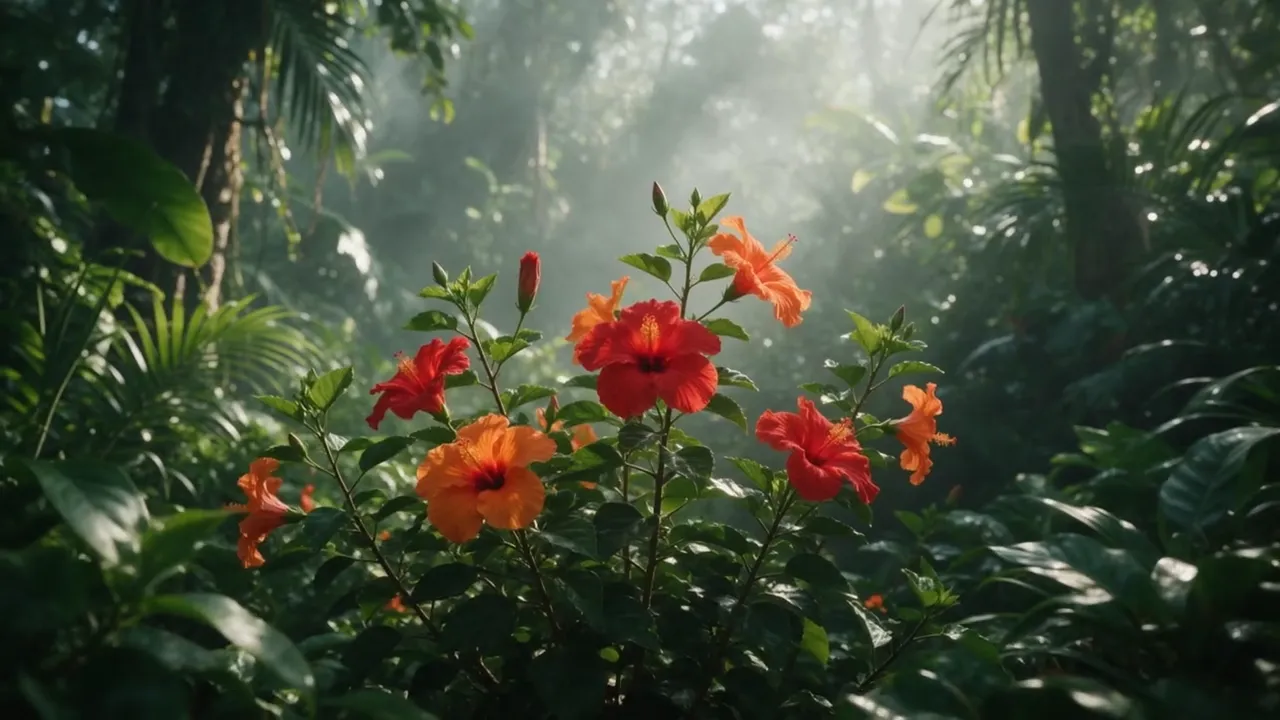 Made with Kling 3.0 Pro16:9
01Kling AI example
A generated still of hibiscus in a misty jungle became a five-second shot with sound, with sun rays sweeping through the mist.
Kling 3.0 Pro · Image to video
Sun rays sweep through the mist, petals tremble in a light breeze, slow dolly forward.
Made in VlogMe Video Studio with Kling 3.0 Pro from a generated still: image to video, 5 seconds, with sound. Above is the motion prompt for this clip. The form below opens Video Studio with Kling 3.0 Pro selected.
Worked example: Kling 3.0 Pro text to video: rain on a tin roof at night
Worked example: Photo to music video: a red-lit corridor shot with Kling 3.0 Pro
02Start with the exact model
After you sign in with Google or an email link, VlogMe opens Video Studio with Kling 3.0 Pro selected and shows the credit cost before you generate.
Choose the supported starting image, frames or references.
Describe the action, camera movement and visual consistency you need.
Set an available duration and aspect ratio, then review the credit estimate.
Check motion, identity, timing and artifacts in the finished clip.
Clips run 3 to 15 seconds. Image to video and start-and-end-frame shots keep the framing of your source image.
Upload a product shot, portrait, illustration, or landscape. Direct the action and camera, compare leading video models, and see the credit estimate before you generate.
Start with Gemini Omni Flash for coherent motion and native audio, or switch to Seedance, Veo, Kling, or Grok before generation.
Shots where movement is the point: action, dance, character performance and deliberate camera moves, from text, a single image or a start and end frame. To copy movement from an existing video onto a character, use Kling 3 Motion Control Pro.
Yes. Kling 3.0 Pro runs inside VlogMe Video Studio. The form on this page opens it with the model already selected, so you can check the settings before you generate.
Any account can use this model when its credit wallet covers the estimate shown before generation. A subscription is optional and only replenishes credits regularly.
Each clip runs 3 to 15 seconds. When you start from an image or from start and end frames, the output keeps the framing of your source.
Priced in credits per clip, by its length and settings. VlogMe shows the exact credit price before you submit, and nothing is generated until you confirm.
Yes. With start and end frames, Kling 3.0 Pro moves from your first image to your last in one clip of 3 to 15 seconds and keeps the framing of your source images.
VlogMe is an independent product. Model and provider names are trademarks of their respective owners; availability and capabilities can change.
Last reviewed
Your next shot starts here
Every result is saved to your Lab, ready for the next step.
You see the exact credit price in the studio before anything runs.