


VlogMe
When the footage has to be generated
Choose VlogMe when you want to plan scenes, create separate video, image and audio assets, and keep the results together.

Workflow comparison
Captions AI supports creator editing, captions, dubbing and AI presenters. VlogMe connects an idea or source asset to scenes, Studios and a shared library.
01Side by side
Captions AI centers on editing and captioning creator footage, VlogMe on generating the scenes, presenters and sound in the first place. We compare workflows, not unverified prices or quality scores.
| Decision point | VlogMe | Captions AI |
|---|---|---|
| Starting point | A portrait and a voice track for a talking avatar, a prompt or image for a clip, or an idea for Director. | A recorded creator clip, script or AI presenter. |
| When it fits | A connected video project or individual assets across Director and the Studios. | Editing, captions and localization in a creator-focused workflow. |
| Localization | DUB translates a finished video into 28 languages with AI dubbing and returns a dubbed MP4. | Dubbing is part of the Captions AI creator workflow; check its official site for current languages. |
| API and integrations | REST API and MCP access for your own tools, alongside the web workspace. | Check Captions AI's official documentation and your plan before you commit to an integration. |
| Cost | Pay with credits from a plan or a one-time pack. You see the exact credit price in the studio before anything runs; see pricing. | Confirm Captions AI's current prices and limits on its official site. |
Competitor details were checked against Captions AI's official help center. Plans and features change, so this page makes no price or performance ranking.
Also in VlogMe: REST API and MCP access, multi-scene Director videos of up to 3 minutes and workflows in 30+ languages.
02Decision guide
VlogMe
Choose VlogMe when you want to plan scenes, create separate video, image and audio assets, and keep the results together.
Captions AI
Choose Captions AI when its filming, editing or caption workflow is the center of your work. Check its current tools and plan on the official site.
03Step by step
Generate the presenter and the footage instead of filming them.
Turn a portrait and a voice track into a talking avatar in Video Studio.
Make B-roll clips in Video Studio and the voice-over in Audio Studio, each with a credit estimate first.
Create a timed subtitle file (VTT) in Audio Studio and keep everything in Lab; News Videos videos come with subtitles burned in.
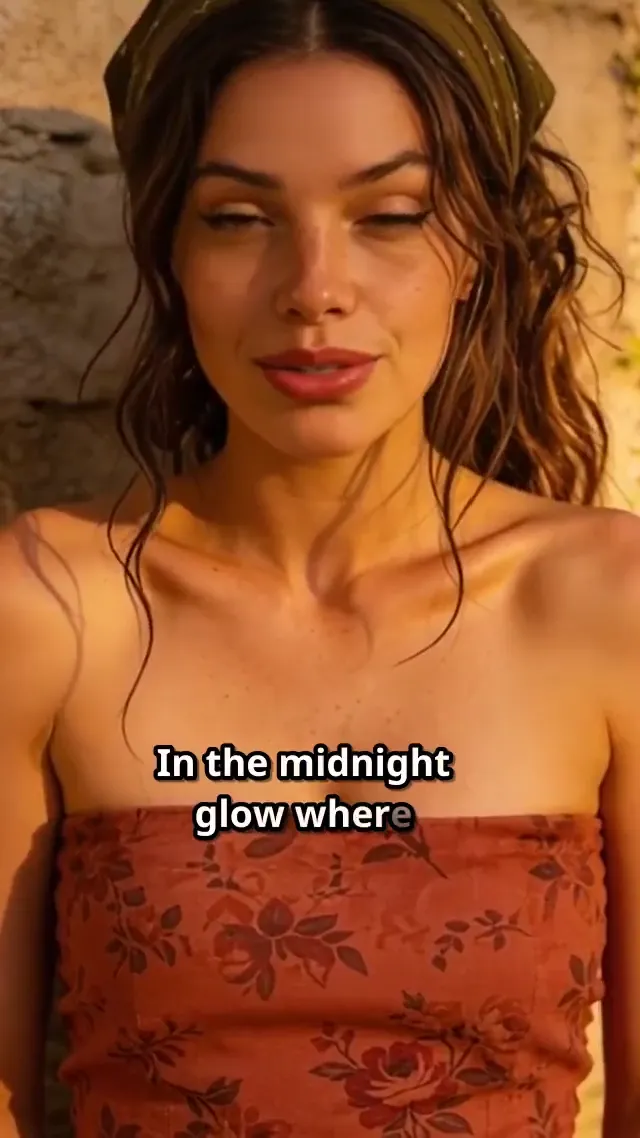 9:16
9:16Rendered in VlogMe with word-by-word captions; the avatar sings an English track. It is not a Captions AI output.
Short answers
When you film yourself and need fast editing, captions or dubbing in a creator app. Check Captions AI's official site for its current tools and plans.
When the footage does not exist yet. Video Studio generates clips and talking avatars, Director plans multi-scene videos from a chat, Aisma transforms footage you already have and News Videos turns a news source into a presenter video.
Yes. The AI social media video flow plans a 9:16 video with its hook, scenes and voice in Director, and Video Studio makes single clips and talking avatars in the same format.
Compare
Seen the difference?
Open Video Studio, pick a workflow and see the credit estimate before you generate.