
Best for
Campaign finals, product imagery, portraits, textures, and print-ready enlargement.

Magnific upscaler in Image Studio
Premium image upscaling and creative detail recovery for final campaign assets.
Magnific
TopAvailablePriced in credits by the source size and the upscale factor.You see the exact credit price in the studio before anything runs.
Campaign finals, product imagery, portraits, textures, and print-ready enlargement.
Simple background removal or exact generative edits; use Remove background in Image Studio, or GPT Image 2.
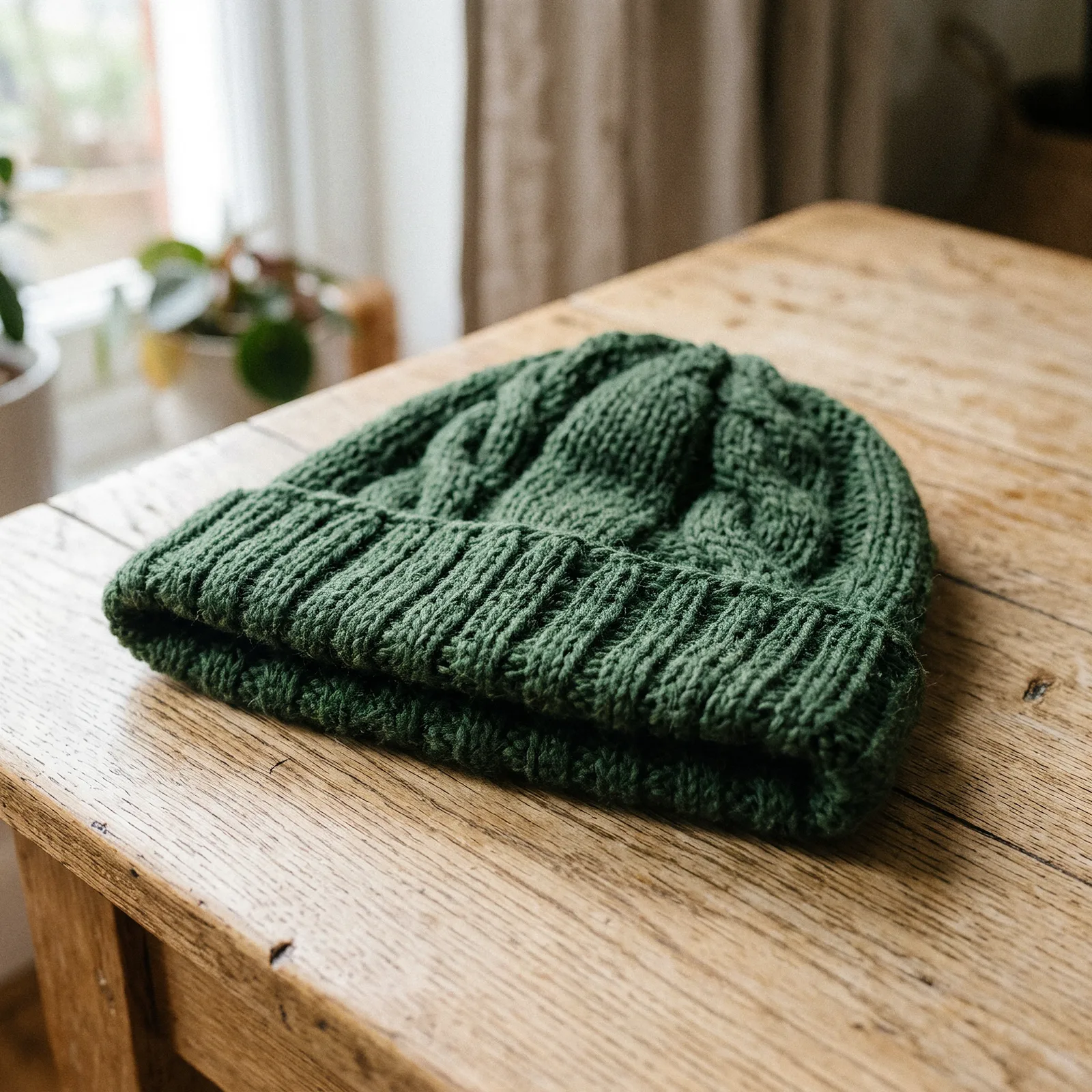
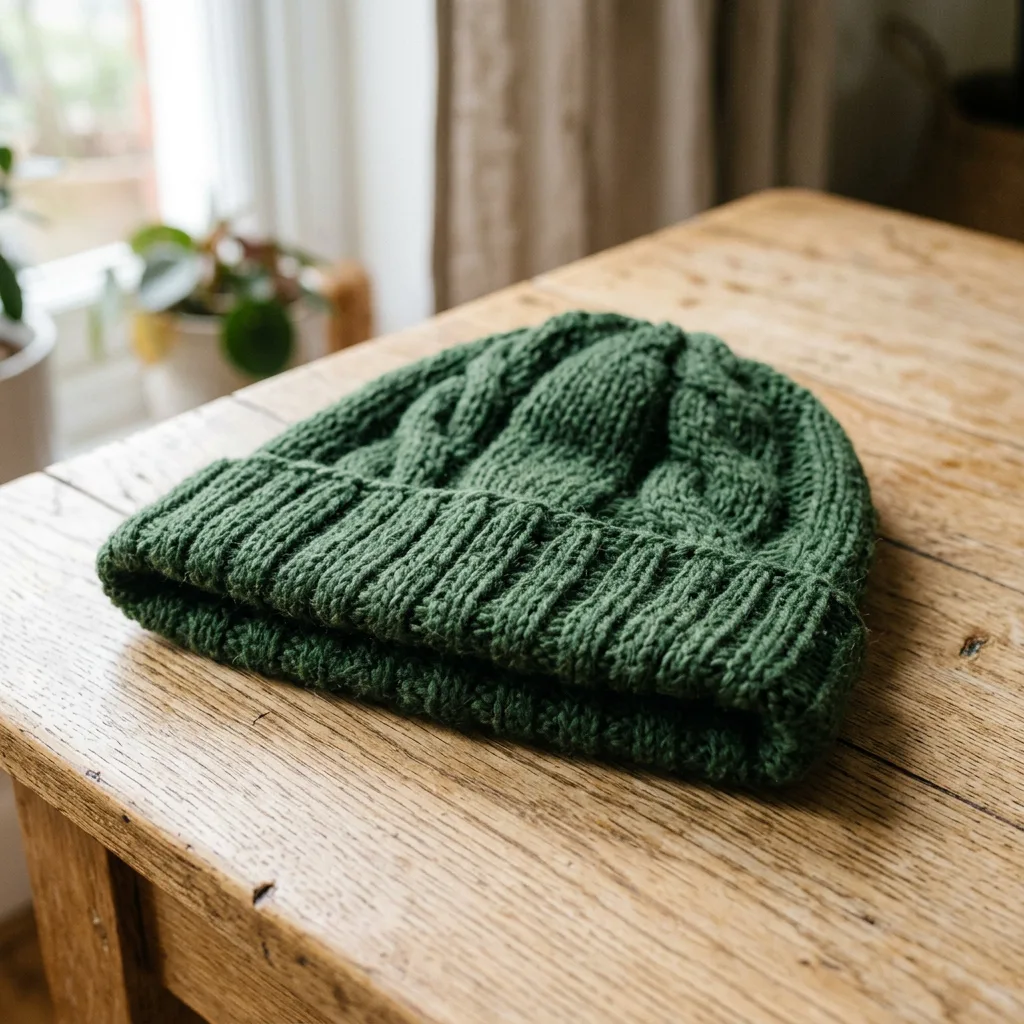 BeforeAfter
01Magnific AI example
The source is a still of a knitted beanie, about 1 MP, made with Nano Banana 2. Magnific enlarged it 2× in Image Studio; compare the stitches and wool fibres with the original.
Magnific Upscaler · Upscale 2×
Source: a Lab image of about 1 MP. Setting: 2×. Then compare the result with the original and review any invented fine detail before using it in final artwork.
Upscaled 2× in VlogMe Image Studio with Magnific from a Nano Banana 2 still. The button below opens the Magnific form, where you choose a Lab image and see the credit estimate first.
02Start with the exact model
Opening the form is free. After sign-in you pick an image from Lab, VlogMe shows the credit cost, and nothing runs until you confirm.
Choose the source image from Lab.
Select 2×, 3× or 4× based on the size you need.
Review the credit estimate before confirming the job.
Inspect faces, logos, text and small patterns in the result.
Creative recovery may invent micro-detail; review logos, text, faces, and regulated product claims.
Enlarge a finished image 2×, 3× or 4× and compare it with the original before you export.
Replace objects, restyle backgrounds, localize copy, or make campaign variants without rebuilding the image.
Final assets that need more pixels: campaign images, product shots, portraits, textures, and large-format or print enlargements.
Yes. Magnific runs in VlogMe Image Studio as the Upscale workflow; the button on this page opens its form, where you choose an image from Lab.
Any VlogMe account can use Magnific Upscaler once its credit balance covers the estimate shown before the upscale runs. Credits come from a one-time pack or a subscription; a subscription simply tops them up on a schedule.
The source must already be in Lab and be no larger than 40 MP; the scale is 2×, 3× or 4×. To remove a background or repair a face without enlarging, use Remove background or Restore a face in Image Studio.
Priced in credits by the source size and the upscale factor. Larger sources and 3× or 4× upscales cost more. Image Studio shows the exact credit price before you submit, and nothing runs until you confirm.
Creative recovery can invent micro-detail, so review logos, text, faces and regulated product claims at full size before the enlarged image goes into a campaign or to print.
VlogMe is an independent product. Model and provider names are trademarks of their respective owners; availability and capabilities can change.
Last reviewed
Detail at delivery size
Priced in credits by the source size and the upscale factor.
You see the exact credit price in the studio before anything runs.