Worked example
Veo 3.1 prompt example: a hot-air balloon at dawn
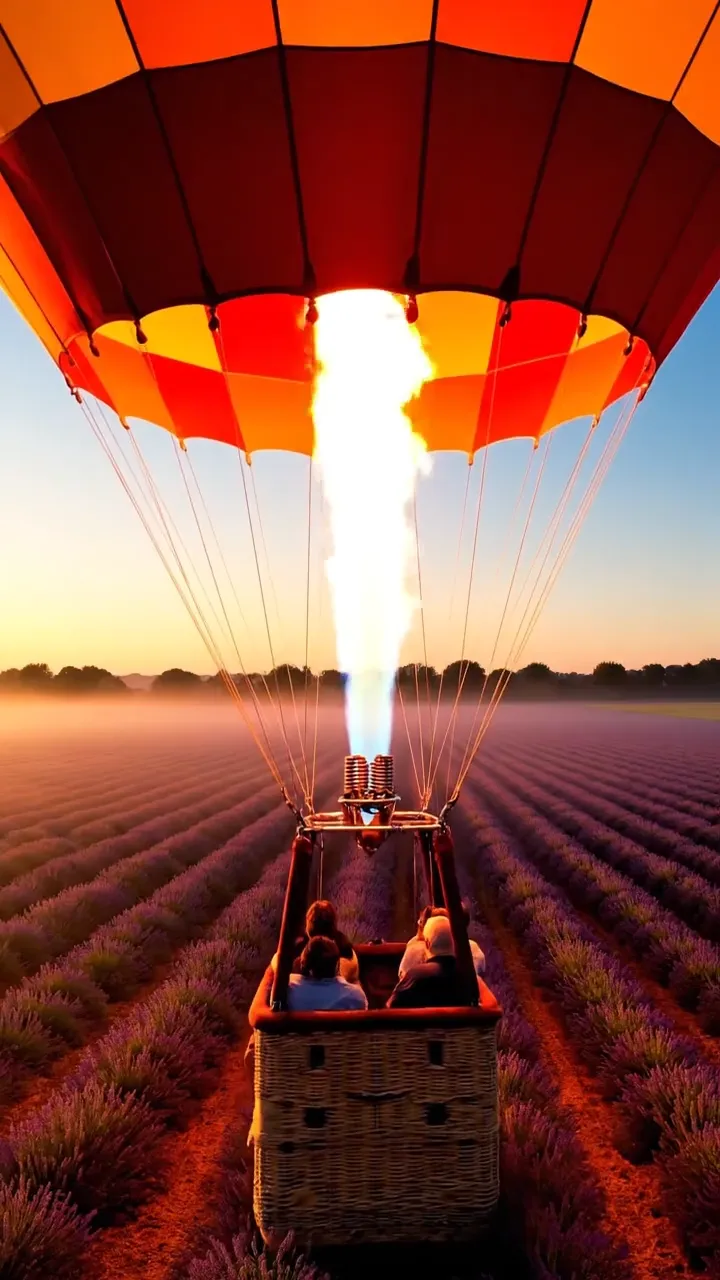
One text prompt and no image: Veo 3.1 made this 6-second vertical clip, sound included. Below are the prompt exactly as it ran, the settings, what the same job costs today and how to make one like it.
- Model
- Veo 3.1Google
- Price today
- 240 credits$3.69
- Output
- 6.03 s, 720×1280, with sound
- Render time
- Not recordedNot logged for jobs made before 17 October 2026.
- Made
- VlogMe staff, September 26, 2026
Part of: Text to video
 9:16
9:1601The exact prompt
Prompt and settings, as the job ran
A hot-air balloon lifts off at dawn over rows of blooming lavender, the burner roars and glows orange, the camera rises alongside the wicker basket as morning mist drifts below, warm golden light, natural ambient sound.
Settings
- Workflow
- Text to video
- Model
- Veo 3.1
- Requested length
- 6 s
- Aspect ratio
- 9:16
- Negative prompt
- text, logos, watermark
02What went in
Inputs, each made in VlogMe
Nothing but the prompt: no image, audio or video went in.
Who and what is in it
No person appears. VlogMe staff made the clip in Video Studio from the text prompt alone.
03What it costs
The same job at today's prices
Today's tariff, from VlogMe's billing code; dollars at the smallest pack, $0.0154 per credit. Compare models in the AI Video Price Index.
| Part | Credits | US dollars |
|---|---|---|
| The video, 6 s with Veo 3.1 | 240 | $3.69 |
| Total | 240 | $3.69 |
04First-hand
What we noticed making it
- We asked for 6 seconds in 9:16. Veo 3.1 returned 6.03 seconds at 720×1280, with a sound track of its own.
- The prompt names the sound as well as the picture: the burner roars and the scene has natural ambient sound. Veo 3.1 makes its audio from that text, so no audio file went in.
- Veo 3.1 makes clips of 4, 6 or 8 seconds. We chose 6 for one lift-off and one rising camera move.
05How to
Make one like it
- Open Video Studio and choose Text to video, then Veo 3.1.
- Write the subject, the camera move, the light and the sound in one paragraph, as in the prompt above.
- Set 6 seconds and 9:16, and add a negative prompt for text, logos and watermarks.
- Check the quote, then generate. Veo 3.1 adds the sound itself.
06Recreate this
Start from the same prompt and model
Open Video Studio with Veo 3.1 and this prompt filled in. Change the scene and keep the structure: subject, camera move, light, sound.