Best for
Product photography, fashion, material detail, art direction, multi-reference composition, and polished campaign imagery.

Black Forest Labs model in Image Studio
High-fidelity premium synthesis for photoreal scenes, products, people, and compositions guided by references.
Black Forest Labs
TopAvailablePriced in credits per image.You see the exact credit price in the studio before anything runs.
Product photography, fashion, material detail, art direction, multi-reference composition, and polished campaign imagery.
Mask-specific local replacement or typography-first layouts; use GPT Image 2 or Ideogram 3 where those controls matter most.
 16:9
16:901FLUX AI example
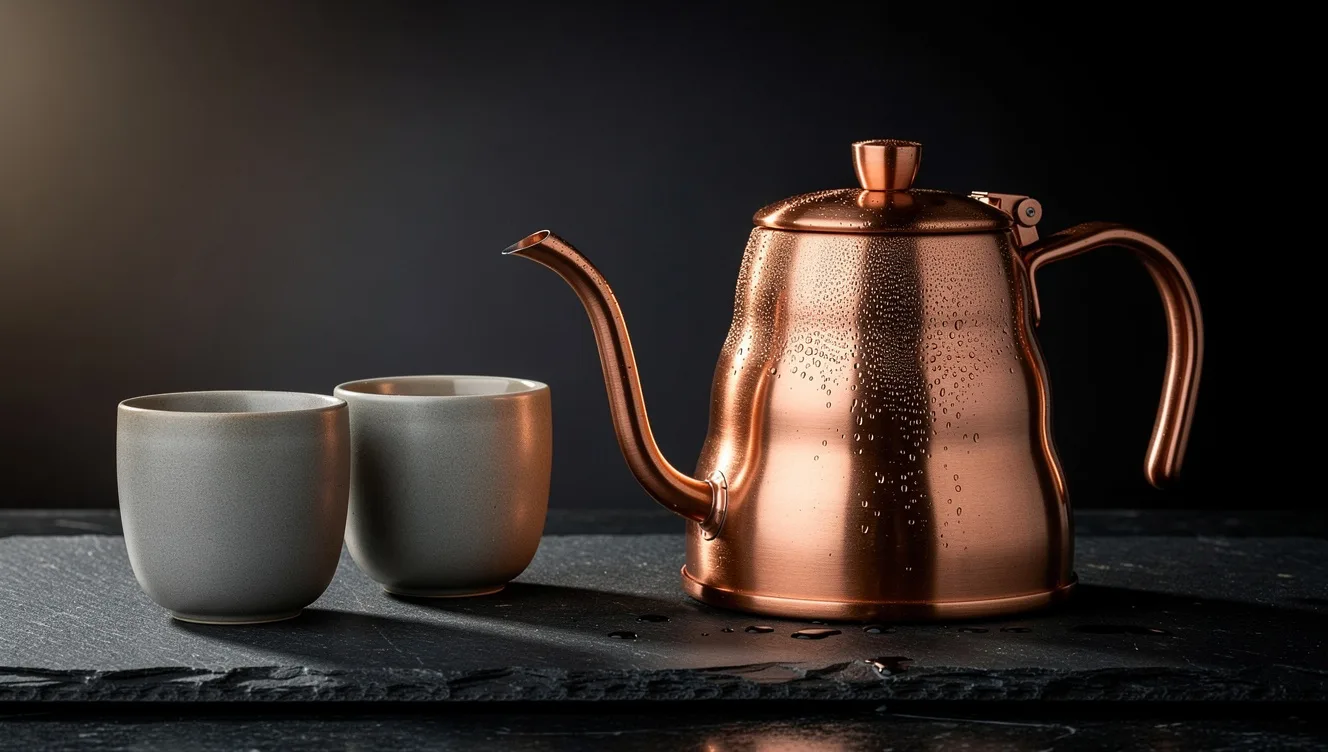
A single text prompt, no references: FLUX.2 Max rendered the brushed copper, the matte stone and the water droplets in one image. When a real product has to match exactly, add its photos as references.
FLUX.2 Max · Generate
Studio product photograph of a brushed copper pour-over kettle beside two matte stone cups on a dark slate counter, crisp reflections on the metal, fine water droplets, soft side light, example product, no text, no logos.
Generated in VlogMe Image Studio with FLUX.2 Max from this text prompt. The form below opens the same model.
02Start with the exact model
Sign in with Google or an email link to generate. VlogMe shows the credit cost before anything runs, and nothing starts until you confirm.
Describe the image you want and its intended format.
Add supported references or edits only when the workflow calls for them.
Choose the model and review its credit estimate before generating.
Inspect faces, text, logos and composition before using the result.
In VlogMe, FLUX.2 Max works in Generate, Reference mix, Image edit and Variations. Replace area is not available for this model.
Replace objects, restyle backgrounds, localize copy, or make campaign variants without rebuilding the image.
Photoreal images where material and light matter: product shots, fashion, textures and campaign visuals, including scenes composed from several reference images.
Yes. FLUX.2 Max runs in VlogMe Image Studio, and the form on this page opens it with FLUX.2 Max already selected.
Any VlogMe account can use FLUX.2 Max once its credit balance covers the estimate shown before generation. Credits come from a one-time pack or a subscription; a subscription simply tops them up on a schedule.
FLUX.2 Max cannot redraw a masked area in VlogMe; use GPT Image 2 or Ideogram 3.0 Quality for that. For layouts built around a headline, those two models are also the safer choice.
Priced in credits per image. Image Studio shows the exact credit price before you submit, and nothing runs until you confirm.
Yes. In Reference mix, FLUX.2 Max composes a scene from several reference images and holds the product, the person or the style you give it, which suits product and fashion shots where material and light matter.
VlogMe is an independent product. Model and provider names are trademarks of their respective owners; availability and capabilities can change.
Last reviewed
Photoreal materials and light
Priced in credits per image.
You see the exact credit price in the studio before anything runs.