

- AI Video Maker
- Free Video Maker
Best Free Online Video Makers in 2026 (Tested & Ranked)
Compare the best free online video makers in 2026. See which free AI video tools let you turn a script into a finished video — no camera, no subscription.

AI
Compare the best AI video generators in 2026 for realistic clips, AI avatars, faceless content, social videos, editing, automation and business workflows.
AI video generators are no longer just fun prompt tools. In 2026, they are becoming part of real creator workflows, marketing systems, education content, social media production, product demos, avatar videos, and automated publishing pipelines.
But the best AI video generator depends on what you actually want to create.
A filmmaker needs realistic motion and camera control. A creator needs fast short-form clips. A business needs brand-safe output. A YouTuber may need faceless videos. A marketer may need talking avatars, captions, and social scheduling. A developer may need API access or automation.
That is why this guide does not only rank tools by visual quality. It compares the best AI video generators in 2026 by real use case, workflow, speed, control, audio, avatar support, social media fit, and business value.
The best AI video generator in 2026 depends on your workflow:
If you want one tool for AI avatar videos, faceless content, short-form social videos, trend-to-video with your approval, and publishing, VlogMe is one of the most practical options to consider.
Most AI video generator comparisons focus only on visual quality. That is useful, but not enough.
A beautiful AI clip is not always useful if it is too short, expensive, hard to edit, difficult to publish, or not suitable for your business use case.
For this guide, the tools are compared based on:
We excluded adult-focused tools from the main ranking because this guide is focused on creators, marketers, educators, SaaS teams, and businesses that need safe, practical, and brand-friendly video workflows.
| Tool | Best For | Main Strength | Best User |
|---|---|---|---|
| VlogMe | AI avatar videos and scheduled social publishing | Talking avatars, trends-to-video, social publishing | Creators, marketers, educators, agencies |
| Google Veo | Realistic AI video generation | High realism and prompt quality | Creators, marketers, filmmakers |
| Runway | Filmmaking and generative editing | Camera control and creative workflow | Filmmakers, creative teams |
| Kling | High-motion cinematic clips | Motion, physics, and consistency | AI video creators |
| Luma Dream Machine | Visual brainstorming | Aesthetic scenes and iteration | Designers, storytellers |
| Adobe Firefly | Commercially safer creative work | Adobe ecosystem and brand safety | Businesses, designers |
| Synthesia | Training and corporate avatar videos | Enterprise avatar workflows | HR, training, internal comms |
| HeyGen | Talking avatars and localization | Lip-sync, avatars, translation | Marketers, sales teams |
| PixVerse | Short cinematic social clips | Fast, dynamic video generation | Social creators |
| Pika | Viral effects and stylized clips | Creative effects and quick experiments | TikTok and Reels creators |
| Hailuo / MiniMax | Fast human-motion clips | Speed and realistic movement | Creators testing ideas |
| InVideo AI | Prompt-to-social videos | Script, stock, voiceover workflow | Marketers, small businesses |
| VEED | Social video editing | Captions, repurposing, editing | Social media teams |
| Descript | Script-based editing | Edit video like a document | Podcasters, YouTubers |
| Wondershare Filmora | Traditional editing with AI | Familiar editor plus AI tools | Beginner editors |
| LTX Studio | Storyboarding and control | Shot-by-shot planning | Filmmakers, storytellers |
| Pictory | Blog-to-video and repurposing | Turns text content into video | Bloggers, marketers |
| WaveSpeedAI | Multi-model testing | Access to many AI models | Developers, production teams |
VlogMe is built for creators, marketers, educators, and brands that want to create videos without recording themselves every time.
Instead of focusing only on cinematic prompt-to-video clips, VlogMe covers a wider content workflow: talking-avatar videos, short-form vertical content, image and audio generation, social publishing, and trend-to-video with your approval.
The strongest use cases include:
This makes VlogMe different from tools that only generate short cinematic clips. It is closer to an AI video production workspace for creators who want to publish more consistently.
VlogMe has several product areas that work together:
That combination is important because most creators do not just need one AI clip. They need a repeatable system for creating, editing, organizing, publishing, and testing video content.
VlogMe is best for:
VlogMe is a workspace, not a single model, so you choose the model for each shot. For ultra-realistic cinematic B-roll you do not need a second tool: Video Studio runs Veo 3.1 and Kling 3.0 Pro for cinematic shots and Runway Aleph 2 to restyle footage you already have, on the same credits and in the same Lab.
If your goal is to create avatar-led videos, social content, and repeatable publishing workflows, VlogMe is more practical than a single-model tool.
VlogMe is one of the best AI video generators in 2026 for creators and marketers who want more than a single prompt-to-video tool. It is especially useful for AI avatar videos, faceless content, social publishing, and repeatable creator workflows.
Google Veo is one of the strongest AI video generators for realistic, high-quality video output. It is a good option when you need polished visuals, natural-looking scenes, and strong prompt understanding.
Veo works well for:
The biggest advantage is output quality. Veo can produce visually impressive clips that feel closer to real footage than many lower-end AI video generators.
Best For
Veo is best for creators and teams that care about realism, polish, and prompt accuracy.
Watch Out For
Like most high-end AI video tools, cost and usage limits can become a problem if you need to generate many variations. Complex scenes may still need multiple attempts.
Verdict
Veo is one of the best overall AI video generators in 2026 if your top priority is realistic output quality.
Runway is one of the most important AI video tools for filmmakers and creative teams.
Its strength is not just text-to-video generation. Runway is useful because it gives creators more control over motion, framing, editing, and visual direction.
Runway is strong for:
If you are a director, editor, or visual storyteller, Runway gives you more creative control than many simpler prompt-based tools.
Best For
Runway is best for filmmakers, creative directors, video artists, and teams that want more control over the final look.
Watch Out For
Runway has a learning curve. Beginners may find it less simple than tools built for quick social content.
Verdict
Runway is one of the best AI video generators for serious creative work and filmmaking-style projects.
Kling is a strong AI video generator for motion-heavy scenes. It is often useful when you need action, camera movement, character motion, or visually dynamic clips.
Kling is good for:
Its main value is motion consistency. Many AI video tools struggle when objects move quickly or when the camera has to follow action. Kling is one of the better options for those situations.
Best For
Kling is best for AI video creators who need movement, camera motion, and dynamic visual clips.
Watch Out For
Like all AI video generators, results can still vary. You may need several generations to get the exact movement you want.
Verdict
Kling is one of the best AI video generators for high-motion clips and cinematic experiments.
Luma Dream Machine is useful for brainstorming visual ideas, testing creative directions, and generating atmospheric clips.
It is especially strong for:
Luma’s interface makes it easier to explore multiple creative directions, which is useful early in the production process.
Best For
Luma is best for designers, storytellers, and creators who want to explore visual ideas before committing to a final style.
Watch Out For
It may not be the strongest choice for complex motion or precise business workflows.
Verdict
Luma Dream Machine is a strong creative ideation tool for AI video, especially when you care about atmosphere and visual style.
Adobe Firefly is a good fit for businesses, designers, and creative teams that care about brand safety and commercial use.
It is useful for:
The main advantage is Adobe’s ecosystem. If your team already works in Adobe products, Firefly can fit naturally into your existing creative process.
Best For
Adobe Firefly is best for businesses and design teams that want AI video tools inside a more familiar creative environment.
Watch Out For
Output quality may not always match the strongest cinematic AI video models.
Verdict
Adobe Firefly is a good choice when commercial safety, design workflow, and Adobe integration matter more than maximum realism.
Synthesia is one of the best-known AI avatar video platforms for business use.
It is especially strong for:
Synthesia is not primarily a cinematic video generator. Its strength is structured avatar-led communication.
Best For
Synthesia is best for enterprise teams, HR departments, training teams, and companies that need predictable avatar videos at scale.
Watch Out For
It may feel too corporate or template-based for creators who want more social-native content.
Verdict
Synthesia is one of the best AI video tools for business training and corporate avatar videos.
HeyGen is another strong AI avatar platform, especially for talking-head videos, translation, and localized messaging.
It is useful for:
HeyGen’s biggest strength is avatar communication. If you need a digital presenter to speak clearly in multiple languages, it is a strong option.
Best For
HeyGen is best for marketers, sales teams, and businesses that want realistic talking avatars and video localization.
Watch Out For
For cinematic prompt-to-video output, other tools may be stronger.
Verdict
HeyGen is a strong choice for avatar-led marketing, sales, and multilingual video workflows.
PixVerse is a strong option for creators who want fast, visually engaging short clips.
It is useful for:
PixVerse is popular because it can move quickly from idea to output, which matters for TikTok, Reels, and Shorts creators.
Best For
PixVerse is best for social creators who need fast visual clips and do not want a complicated workflow.
Watch Out For
It may not be ideal for long-form storytelling or highly controlled production.
Verdict
PixVerse is a practical AI video generator for short-form social content and fast creative testing.
Pika is known for playful, stylized effects and short viral-style videos.
It works well for:
Pika may not always be the most realistic AI video generator, but realism is not always the goal. For social platforms, style and surprise can matter more.
Best For
Pika is best for creators who want fun, stylized, and viral-looking clips.
Watch Out For
Clip length and realism may be limiting for more serious production work.
Verdict
Pika is one of the best AI video tools for quick creative effects and social-first video experiments.
Hailuo, from MiniMax, is a useful AI video generator for fast generation and human motion.
It is good for:
The biggest advantage is speed. If you need to test many ideas quickly, fast rendering can be more valuable than perfect output.
Best For
Hailuo is best for creators who want quick AI video generations with human movement.
Watch Out For
Maximum duration and output control may be more limited than some advanced tools.
Verdict
Hailuo is a practical AI video generator when speed and fast testing matter.
InVideo AI is useful when you want to create a complete social video from a prompt.
Instead of only generating a raw AI clip, it can help with:
This makes it useful for people who do not want to build a video from scratch.
Best For
InVideo AI is best for small businesses, marketers, and creators who want fast social videos from simple prompts.
Watch Out For
It may not offer the same cinematic quality as tools like Veo, Runway, or Kling.
Verdict
InVideo AI is a good AI video creation suite for fast marketing and social media videos.
VEED is not just an AI video generator. It is more useful as an AI-powered video editor and repurposing tool.
It helps with:
For many teams, editing and repurposing existing content matters more than generating a brand-new clip.
Best For
VEED is best for social media teams, creators, and marketers who already have footage and want to produce more clips faster.
Watch Out For
It does not fully replace advanced editing software for professional editors.
Verdict
VEED is one of the best AI video tools for social video editing, captions, and repurposing.
Descript is one of the easiest tools for editing talking-head videos, podcasts, interviews, and YouTube content.
Its main feature is script-based editing. You edit the transcript, and the video changes with it.
Descript is useful for:
Best For
Descript is best for creators who work with spoken content and want a faster editing process.
Watch Out For
It is not primarily a cinematic AI video generator.
Verdict
Descript is one of the best AI tools for editing spoken video content quickly.
Filmora is a more traditional video editor with AI features built in.
It is useful for:
If you are used to timeline editing but want AI assistance, Filmora is a comfortable option.
Best For
Filmora is best for beginner and intermediate editors who want a traditional editor with AI shortcuts.
Watch Out For
It may not be as advanced as professional tools for high-end production.
Verdict
Filmora is a good AI-enhanced editor for creators who want familiar editing controls.
LTX Studio is useful for creators who want to plan videos like a storyboard.
It helps with:
This makes it different from simple prompt-to-video tools. It gives creators more structure before generating the final output.
Best For
LTX Studio is best for filmmakers, storytellers, and creators who want more control over narrative structure.
Watch Out For
It may take longer to get results because the workflow is more detailed.
Verdict
LTX Studio is a strong AI video tool for creators who care about story structure and shot-level control.
Pictory is useful for repurposing written or long-form content into videos.
It can help turn:
This is useful for businesses that already publish written content and want to turn it into video without starting from zero.
Best For
Pictory is best for bloggers, educators, and marketers who want to repurpose existing content into video.
Watch Out For
It is not the strongest tool for cinematic AI generation or advanced avatar workflows.
Verdict
Pictory is a practical AI video tool for content repurposing and blog-to-video workflows.
WaveSpeedAI and similar AI model aggregators are useful when you want to test different video models from one place.
This is helpful because no single AI video model wins every use case.
A model aggregator can help with:
Best For
WaveSpeedAI is best for developers, production teams, and advanced users who want access to multiple AI video models.
Watch Out For
A model aggregator may be less beginner-friendly than a single-purpose tool.
Verdict
WaveSpeedAI is useful if you want flexibility and model comparison more than one simple content workflow.
| Use Case | Best Tools | Why |
|---|---|---|
| Realistic AI video | Google Veo, Runway, Kling | Strong realism, motion, and cinematic output |
| AI avatar videos | VlogMe, Synthesia, HeyGen | Best for presenter-led, talking-avatar, and faceless video workflows |
| Faceless content | VlogMe, InVideo AI, VEED | Useful for scripts, avatars, voices, and social video production |
| TikTok, Reels, and Shorts | VlogMe, PixVerse, Pika, VEED | Good for short-form, vertical, and fast social content |
| Business training videos | Synthesia, HeyGen, VlogMe | Avatar-led communication and repeatable training content |
| Editing existing videos | Descript, VEED, Filmora | Better for editing, captions, cleanup, and repurposing |
| Automation and API workflows | VlogMe, Runway, WaveSpeedAI | Useful for developers, agents, and automated content systems |
Here is the easiest way to decide:
If you want realistic cinematic AI video, start with Veo, Runway, or Kling (VlogMe’s Video Studio runs Veo 3.1, Kling 3.0 Pro and Runway Aleph 2).
If you want faceless creator content, AI avatars, and social publishing, start with VlogMe.
If you want enterprise training videos, try Synthesia.
If you want localized talking avatars, try HeyGen.
If you want quick TikTok or Reels-style visuals, try PixVerse or Pika.
If you want to edit podcasts, interviews, or YouTube videos, try Descript or VEED.
If you want to turn blog posts into videos, try Pictory.
If you want to test multiple models, use an aggregator like WaveSpeedAI.
Many AI video tools are great at creating short cinematic clips, but creators and businesses often need something more practical.
They need videos that explain, teach, sell, answer questions, and publish consistently.
That is where AI avatar video generators are valuable.
AI avatars can help you:
For this type of workflow, a tool like VlogMe is especially useful because it combines avatar creation, video generation, image/audio assets, social publishing, and trend-to-video with your approval.
A good AI video generator should do more than create a nice-looking clip.
Look for these features:
The video should look stable, clear, and believable enough for your use case.
The tool should follow your instructions instead of creating random visuals.
Objects, people, and scenes should not warp too much across frames.
If your workflow needs voice, music, or sound effects, check whether the tool supports native audio or requires extra editing.
The first generation is rarely perfect. Good tools make it easy to revise, extend, or adjust the output.
If you need presenter videos, faceless content, or training content, avatar support matters.
Creators need captions, exports, scheduling, and publishing. A tool that stops at video generation may still leave you with extra work.
Always check the tool’s terms before using AI-generated video for client work, ads, or paid campaigns.
AI video can become expensive if you need many generations. Check credits, watermarks, export quality, and free-plan limits.
If you want to scale content production, API access, templates, publishing, and AI-agent workflows become important.
For creators, the best AI video generator is the one that helps you publish consistently.
That usually means you need:
For this reason, VlogMe is a strong option for creators who want an AI video workflow instead of just one-off clips.
For marketers, the best tool depends on the campaign.
Use Veo, Runway, or Kling for creative campaign visuals.
Use Adobe Firefly for safer branded creative work.
Use Synthesia or HeyGen for presenter-led business videos.
Use VlogMe for avatar videos, short-form content, trends, and social publishing.
Use VEED or Descript to repurpose existing content.
The best marketing workflow may combine multiple tools, but if you want one platform for AI avatar-led social content, VlogMe is worth testing.
Faceless content is still popular in 2026, but low-effort videos are harder to grow now.
The best faceless AI video tools should help you create content that feels useful, consistent, and repeatable.
Look for:
VlogMe fits this use case because it can help creators turn portraits, scripts, voices, and trends into publish-ready avatar videos.
Free AI video generators are useful for testing, but free plans usually come with limits.
Common free-plan limits include:
If you are only experimenting, free tools like Pika, Kling, PixVerse, Hailuo, or trial credits from other platforms can be enough.
If you are creating videos for a brand, client, or business, a paid plan is usually safer because it gives you better exports, fewer restrictions, and more reliable usage.
There is no single best AI video generator for everyone.
The best choice depends on what you want to create.
For realistic AI video, choose Veo.
For filmmaking control, choose Runway.
For high-motion clips, choose Kling.
For avatar-led content and scheduled social publishing, choose VlogMe.
For enterprise training, choose Synthesia.
For talking avatars and localization, choose HeyGen.
For quick social clips, choose PixVerse or Pika.
For editing and repurposing, choose Descript, VEED, or Filmora.
For blog-to-video workflows, choose Pictory.
For multi-model testing, choose WaveSpeedAI.
If your goal is to create more social videos, faceless content, talking-avatar clips, and repeatable creator workflows, VlogMe is one of the most useful AI video platforms to try in 2026.
The best AI video generator in 2026 depends on your use case. Google Veo is strong for realistic clips, Runway is strong for filmmaking, Kling is strong for motion, and VlogMe is strong for AI avatar videos, faceless content and scheduled social publishing, and it runs Veo 3.1, Kling 3.0 Pro and Runway Aleph 2 in its Video Studio.
VlogMe, PixVerse, Pika, VEED, and InVideo AI are useful for creators. VlogMe is especially useful for creators who want AI avatar videos, trend-based video creation, and social publishing in one workflow.
VlogMe is a strong option for faceless content because it supports talking-avatar videos, scripts, voices, vertical video workflows, and social publishing.
For business videos, Synthesia is strong for training, HeyGen is strong for avatar-led marketing, Adobe Firefly is useful for brand-conscious creative work, and VlogMe is useful for avatar videos, social content, and marketing workflows.
Some AI video generators offer free plans or trial credits, but free plans usually have limits such as watermarks, shorter clips, slower queues, fewer exports, or limited commercial rights.
Some AI video generators can create audio, voice, or sound effects, but support varies by platform. Always check whether the tool supports native audio, voiceover, lip-sync, or music before choosing it.
In many cases, yes, but you should always check each platform’s terms of service. Free plans may restrict commercial use or add watermarks.
VlogMe, Synthesia, and HeyGen are strong AI avatar video tools. VlogMe is best for creators and marketers who want avatar videos plus social publishing and automation. Synthesia is stronger for enterprise training. HeyGen is strong for talking avatars and localization.
VlogMe, PixVerse, Pika, InVideo AI, and VEED are useful for TikTok, Reels, and YouTube Shorts. VlogMe is especially useful for avatar-led short-form videos and faceless creator workflows.
Not completely. AI video generators help create or speed up video production, but editing tools are still useful for polishing, captions, branding, pacing, audio cleanup, and repurposing.
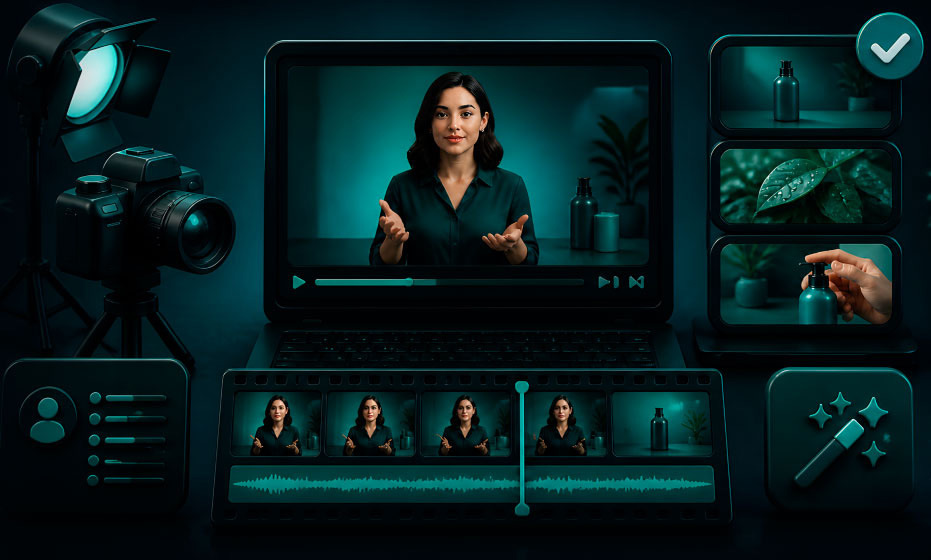
Compare the best free online video makers in 2026. See which free AI video tools let you turn a script into a finished video — no camera, no subscription.
Make an AI avatar video without a green screen: start from a portrait, remove its background automatically, add a voice track and get a clean, ready-to-post video.
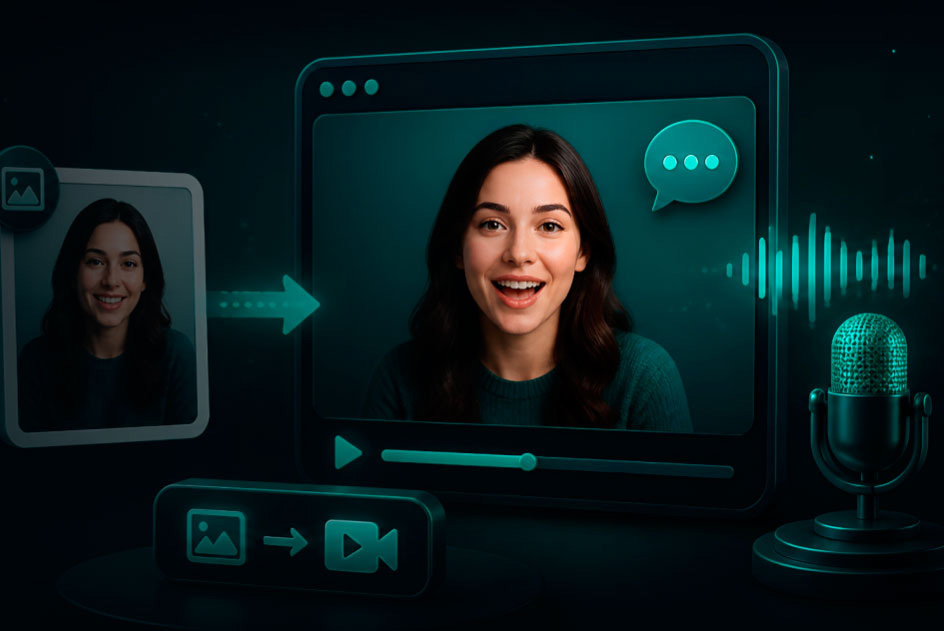
Set up a talking photo in under a minute: upload a front-facing portrait, add a script, choose a voice, and the AI animates the face and syncs the lips — no editing needed.