
Glossary
Lip sync
The frame-by-frame alignment of a face's mouth movements to a target audio track so that the speaker visibly forms the right sounds.
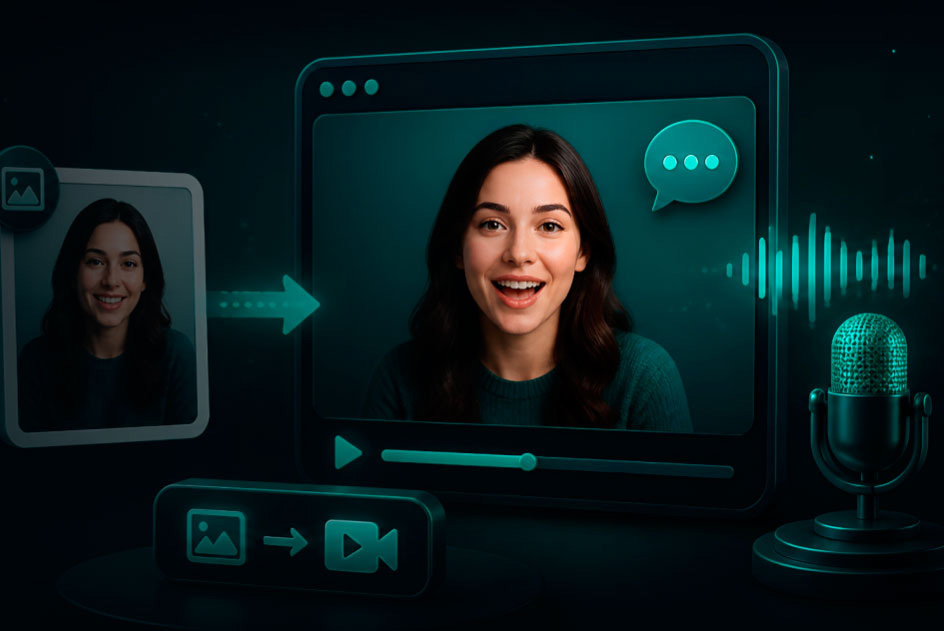
Lip sync is the bridge between audio and face. A lip-sync model takes a speech waveform, extracts the sequence of phonemes (the smallest units of sound — /a/, /b/, /th/), maps each phoneme to a corresponding mouth shape (a viseme), and regenerates the face for each video frame.
Good lip-sync isn't just mouth shape — it includes jaw drop, tongue visibility, lip rounding, and natural micro-pauses between words. Bad lip-sync looks 'rubbery' or shows the mouth moving when the audio is silent.
Two kinds of lip sync
Lip sync from a photo starts with a still portrait and a voice track. The model builds the whole performance: mouth, jaw, blinks and small head turns. This is how a talking avatar or a talking photo is made, from a face that was never filmed speaking.
Lip sync on existing video keeps a filmed performance and redraws only the mouth area so that it matches new audio: a translated line, a corrected product name, a better take. The body, the background and the camera move stay as they were filmed, so the edit is hard to spot when the new words take about as long as the old ones.
Lip sync in VlogMe
Both kinds run in Video Studio.
- To make a photo speak, Make a photo talk takes one portrait and one voice track and renders them with Hedra Avatar (up to 10 minutes) or OmniHuman 1.5 (up to 60 seconds, with more expressive motion).
- To re-sync a filmed video, Lipsync 2 Pro takes the source clip and the new audio. The result and the price follow whichever of the two is shorter, so trim the audio first.
A worked example: a founder recorded a 40-second product update, and then the feature was renamed. She records the update again with the new name (or voices it in Audio Studio with a clone of her voice, made with her consent) and sends the video and the new track to Lipsync 2 Pro. The clip comes back with her lips saying the new name, and nothing was filmed twice. The credit price is shown before the job runs.
To take a whole video into another language, DUB first translates and re-voices the speech; lip sync to the dubbed track is a separate step in Video Studio.
Limits and risks
- The face must be visible and roughly turned to the camera in every frame; profiles, a hand over the mouth and fast turns break the sync.
- Music or crowd noise under the speech blurs the mouth shapes; a clean voice track gives crisp articulation.
- A line much longer than the original leaves the body moving in the old rhythm; rewrite it to a similar length.
- Changing what a real person appears to say needs that person's permission, and misleading edits are not allowed (Terms, sections 5 and 6).
Questions
Is lip sync the same as dubbing?
No. Dubbing replaces the voice with one in another language; lip sync moves the mouth to match a voice. A dubbed video can be lip-synced afterwards so that the new words look spoken.
Can I lip-sync a singing voice?
Yes, when the vocal is clear. Separate the voice from the backing track if you can: drums and synths under the vocal confuse the mouth shapes. Make a photo sing is built for this.
Which audio works best?
Any voice track you can upload to Lab or generate in Audio Studio. What matters is one clear speaker without music underneath.