Glossary
Talking avatar
A digital character — usually built from a single photo — whose lips, jaw, and expressions are animated by AI to match a chosen voice or script.
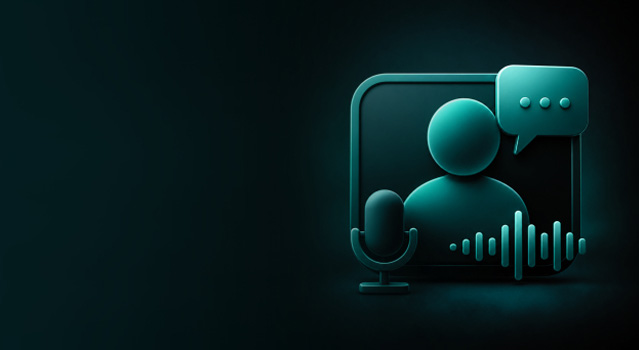
A talking avatar is an AI-generated video presenter. You give the system a face (a photo, a generated portrait, or a stock avatar) and an audio source (a voice clone, a TTS voice, or an uploaded recording). The model produces a video where the face speaks the audio with realistic lip-sync, head movement, and facial micro-expressions.
Talking avatars are used for educational content, marketing videos, sales outreach, product onboarding, and any other situation where filming a real presenter is too slow or too expensive.
How a talking avatar is made
Every talking avatar needs two inputs: a face and a voice track. The face can be your own photo, an illustrated mascot, a painting or a portrait generated in an image model; what matters is that the eyes and mouth are clearly visible. A drawing or a mascot goes through the same steps as a photo: make any image talk. The voice track can be text turned into speech, a cloned voice, or a recording you already have.
The avatar model reads the audio sound by sound and redraws the mouth, jaw and cheeks in every frame so that they form the right shapes. Good models also add what a person does while speaking: blinks, small head turns, raised eyebrows, pauses between phrases. The video runs exactly as long as the audio.
Some tools animate the photo you upload; others drive a presenter the provider recorded in advance with your audio. Both are called talking avatars, but only the first one has the face you chose.
A talking avatar in VlogMe
The workflow is Video Studio's Talking avatar (AI avatar generator):
- Upload a portrait or a character you own or may animate, or reuse one from Lab.
- Write the script and turn it into a voice in Audio Studio, or upload a recording.
- Choose the model and the format (9:16, 1:1 or 16:9), check the credit estimate, and render.
Hedra Avatar animates your image with reliable lip sync, for up to 10 minutes of speech per video. OmniHuman 1.5 adds more head and body motion, for clips of up to 60 seconds. HeyGen Avatar V speaks your audio through one of its own preset presenters instead of your photo. The portrait stays in Lab, so next week's message is a new script and a new render, not a new shoot.
Limits and risks
- The photo sets the quality. A sharp, front-facing, evenly lit face works best; sunglasses, a hand over the mouth or a strong profile angle cause visible artifacts.
- Clean speech gives clean lips. Music or noise under the voice makes the mouth movements less precise.
- Consent comes first. Use only faces and voices you own or have permission to use, never a public figure or anyone under 18 (Terms, section 6). VlogMe asks you to confirm these rights before a Hedra render or a voice clone starts.
- Label it where required. Some platforms and laws ask you to disclose an AI presenter.
Questions
Is a talking avatar a deepfake?
It uses related technology, but an avatar of your own face or of a fictional character, made with consent and not passed off as real footage, is not deceptive. "Deepfake" usually means a real person shown saying or doing something they never agreed to.
Can the same avatar speak other languages?
Yes. Write the script in the other language and generate it with the same voice; the avatar model matches the lips to the new words. To translate a video that is already finished, dub it in DUB.
How long can a talking-avatar video be?
As long as its audio, within the model's limit: in VlogMe up to 10 minutes per video with Hedra Avatar and up to 60 seconds with OmniHuman 1.5.